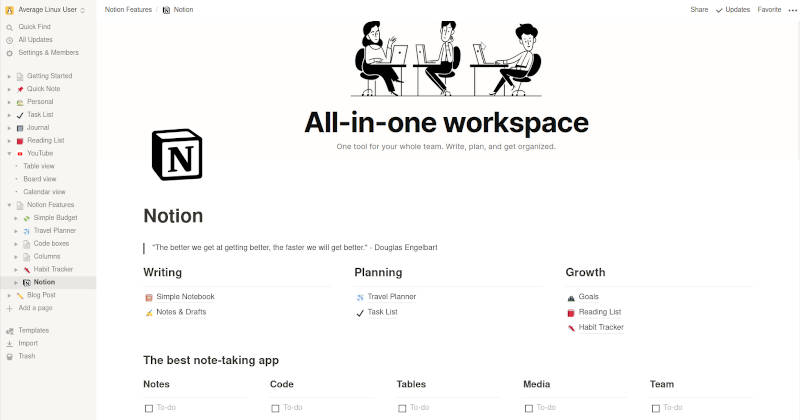
Your connected workspace for wiki, docs & projects | Notion
<aside>
Notable Features: User friendly/ intuitive interface, highly versatile
</aside>
<aside>
Core Abilities: Notion is a highly flexible workspace that combines note-taking, project management, and databases. For academic work, it serves as a central hub to organize research notes, track references in a database, outline papers, and manage tasks. Its integrated "Notion AI" acts as a built-in research assistant that can summarize articles, draft text, and answer questions by drawing context from your notes and connected apps (e.g., Google Drive, Slack). This effectively turns your entire workspace into a personalized, query-able knowledge base where you can extract insights from uploaded PDFs and images without switching applications.
</aside>
<aside>
Limitations/ Risks: Notion lacks built-in, dedicated citation management, requiring manual data entry or clunky workarounds compared to tools like Zotero. Its extensive customizability creates a steep learning curve, and performance can lag when databases become very large. The platform is primarily cloud-based with limited offline functionality, which can be a drawback for researchers working without consistent internet access. Notion AI is only accessible with the $20/month subscription.
</aside>
<aside>
Platform/ Integrations: Web app, desktop and mobile. Import documents (txt, markdown, docx, pdf), data (.csy and .html), media: images (jpg, png, gif) audio (MP3) and video (MP4). Integrations with Trello, Asana, Evernote, Confluence. Export pdf, html, markdown and csv.
</aside>
<aside>
Pricing: Free: basic forms & sites, databases. Plus: $10/month adds unlimited file uploads, custom forms/ sites and basic integrations. Business: $20/month adds Notion AI, AI meeting notes and premium integrations
</aside>
Tutorials/ Reviews
Notion AI Review 2025 - Productivity Booster or Overhyped?
Guides and Tutorials - How to use Notion
Screenshot