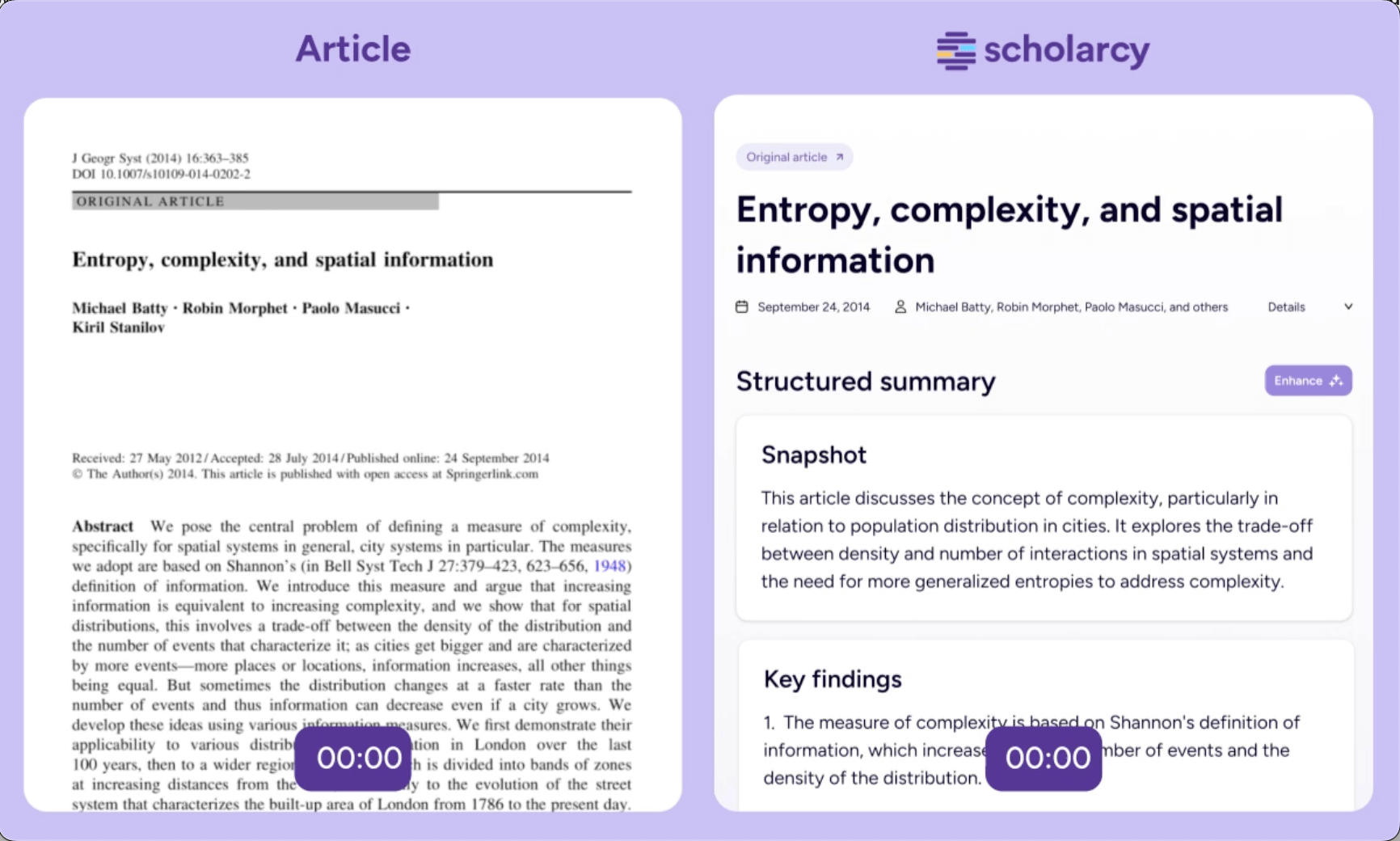
Scholarcy - Article Summarizer and Flashcard Generator
<aside>
Notable Features: Literature Discovery & Review (primarily literature review, summarization); Summary Flashcards from articles with key data extraction
</aside>
<aside>
Core Abilities: Takes a journal article PDF and produces a structured summary flashcard: highlights key contributions, extracts tables and figures, and lists major findings and limitations. It can pull out references, statistical results, and study data automatically. Useful for quickly distilling papers without reading full text, and for extracting numeric data or captions for meta-analyses
</aside>
<aside>
Limitations/ Risks: The primary risk of using Scholarcy is that the AI-generated summaries can be incomplete or miss important nuance, as the output quality depends heavily on the formatting and clarity of the source document. For paywalled articles where only an abstract is available, the summary may offer little value beyond rephrasing the abstract. It is not a replacement for careful reading and critical analysis, and users must verify any extracted facts or claims against the original paper.
</aside>
<aside>
Platform/ Integrations: Web-based application and browser extensions. It supports PDFs, Word docs, and even PowerPoint or YouTube transcripts for summarization. The Chrome extension works on open-access article pages and HTML content. Scholarcy can export summaries to Word, Markdown, or into reference managers (it exports RIS/Bib for the references it extracted)
</aside>
<aside>
Pricing: Free: can use the browser extension and the web demo to summarize single articles, but cannot batch upload or save a library of summaries. The Premium plan (7 day free trial, then $10/month) is needed for unlimited use, batch processing of a folder of PDFs, and full library features.
</aside>
Tutorials/ Reviews
Scholarcy - Getting Started Guide
Screenshot